
[Client] How do I pay quotation & finalize with talent after job?
Paying a quotation on Rtist is simple—review the quotation, make payment to confirm the job, let the talent complete the work, then mark it complete to release payment securely.

Nigel Koay
Last Update há 9 meses
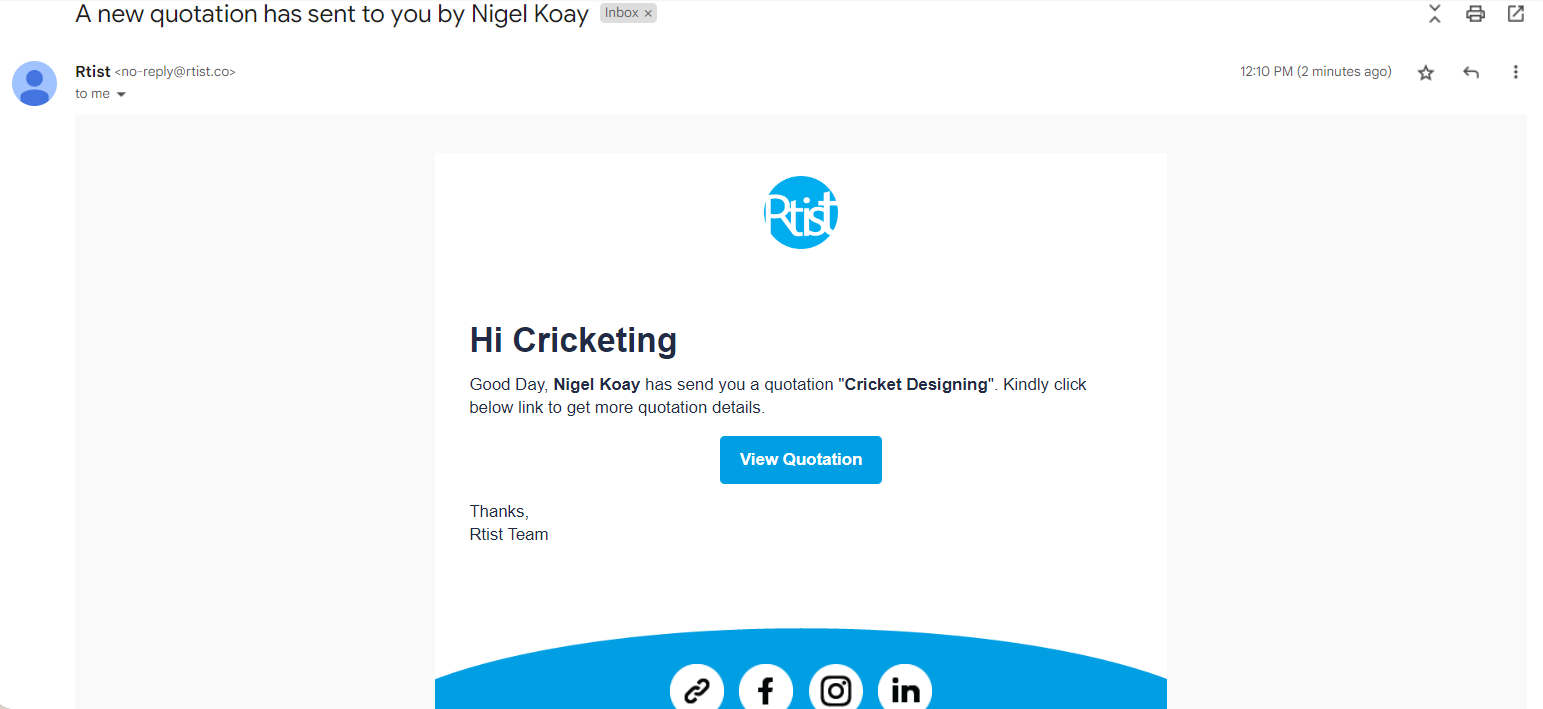
Firstly, you'll receive an email from your talent regarding a quotation. It should look like this:
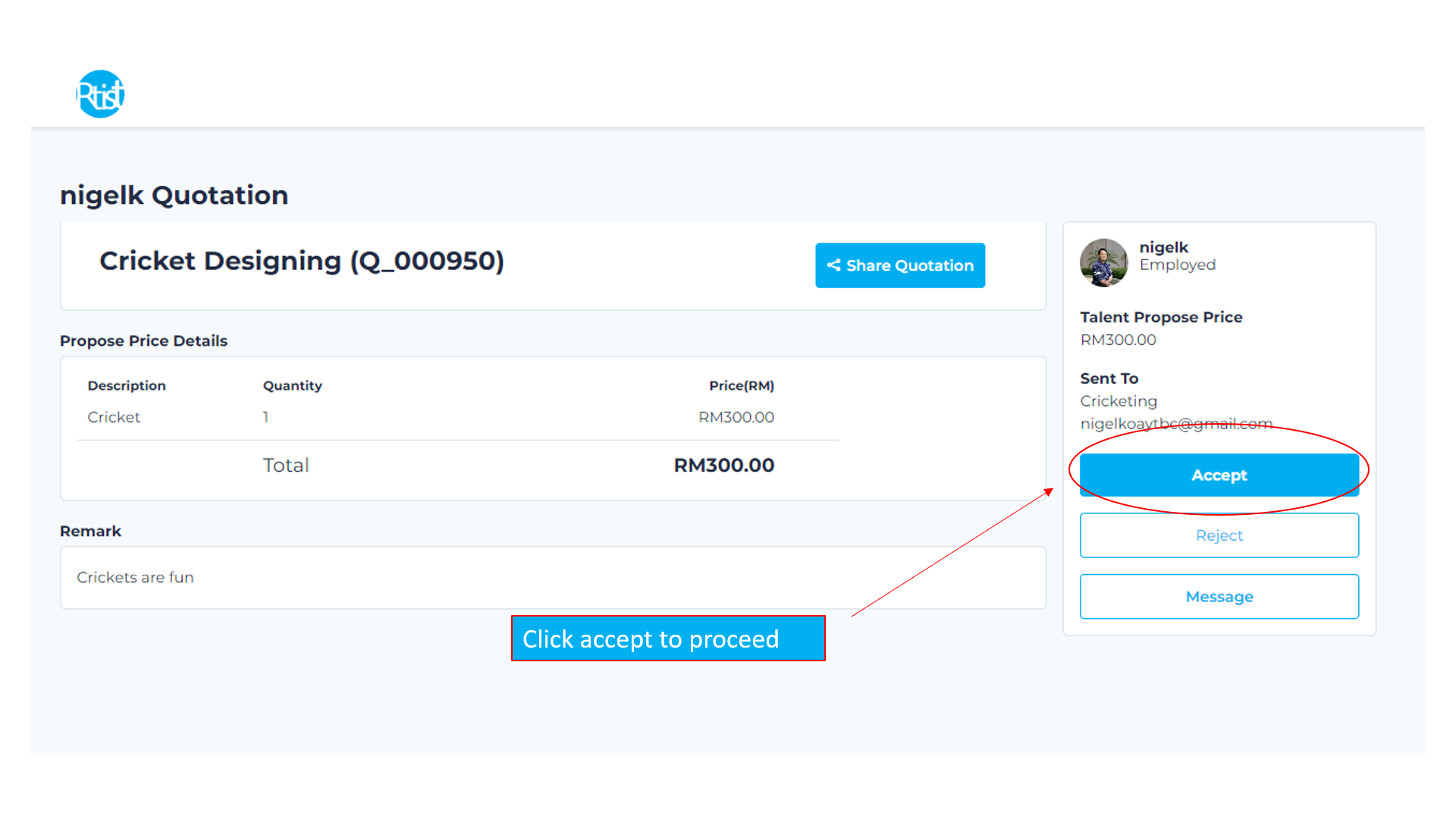
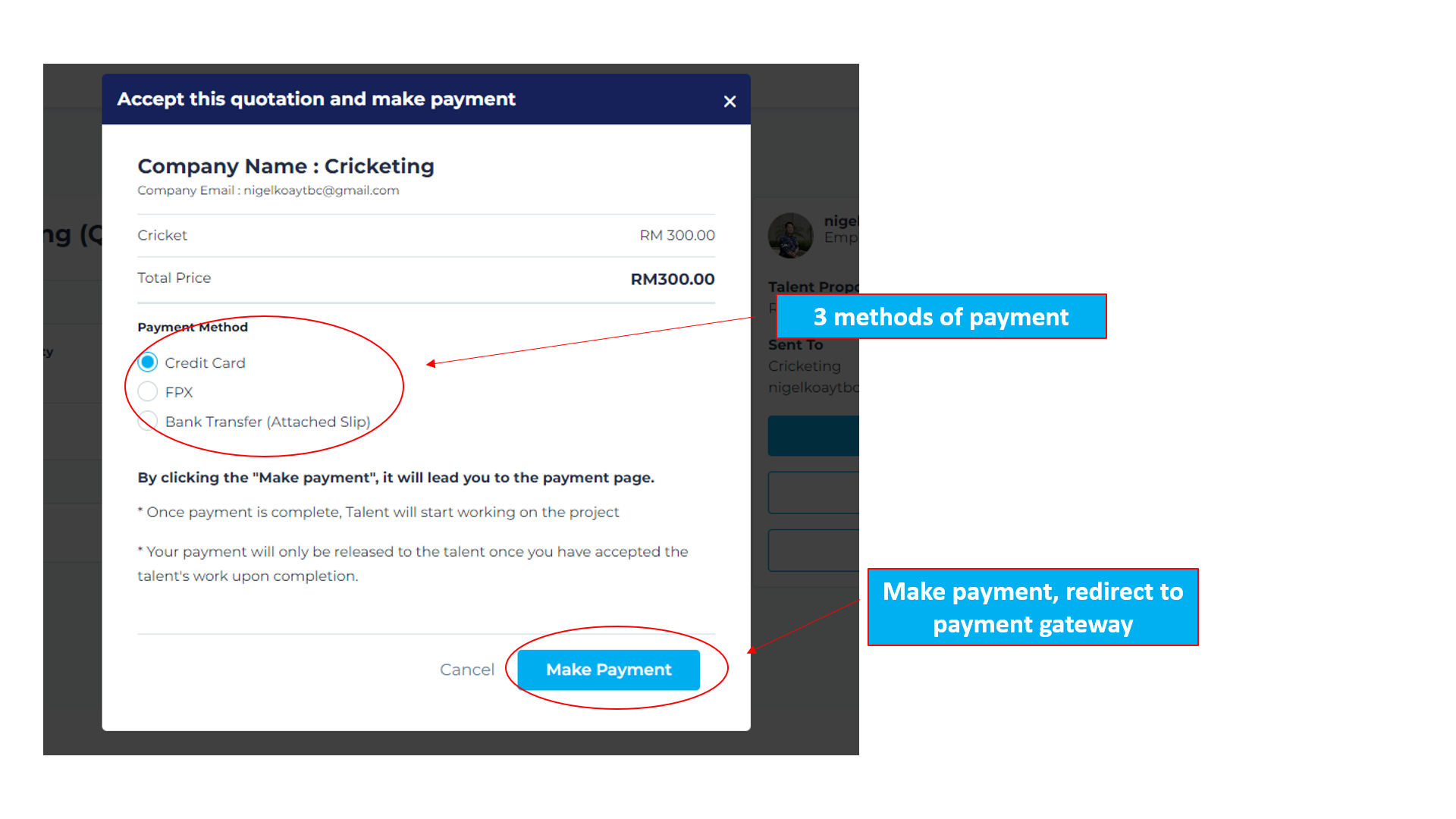
Step 1: Rtist Quotation Payment
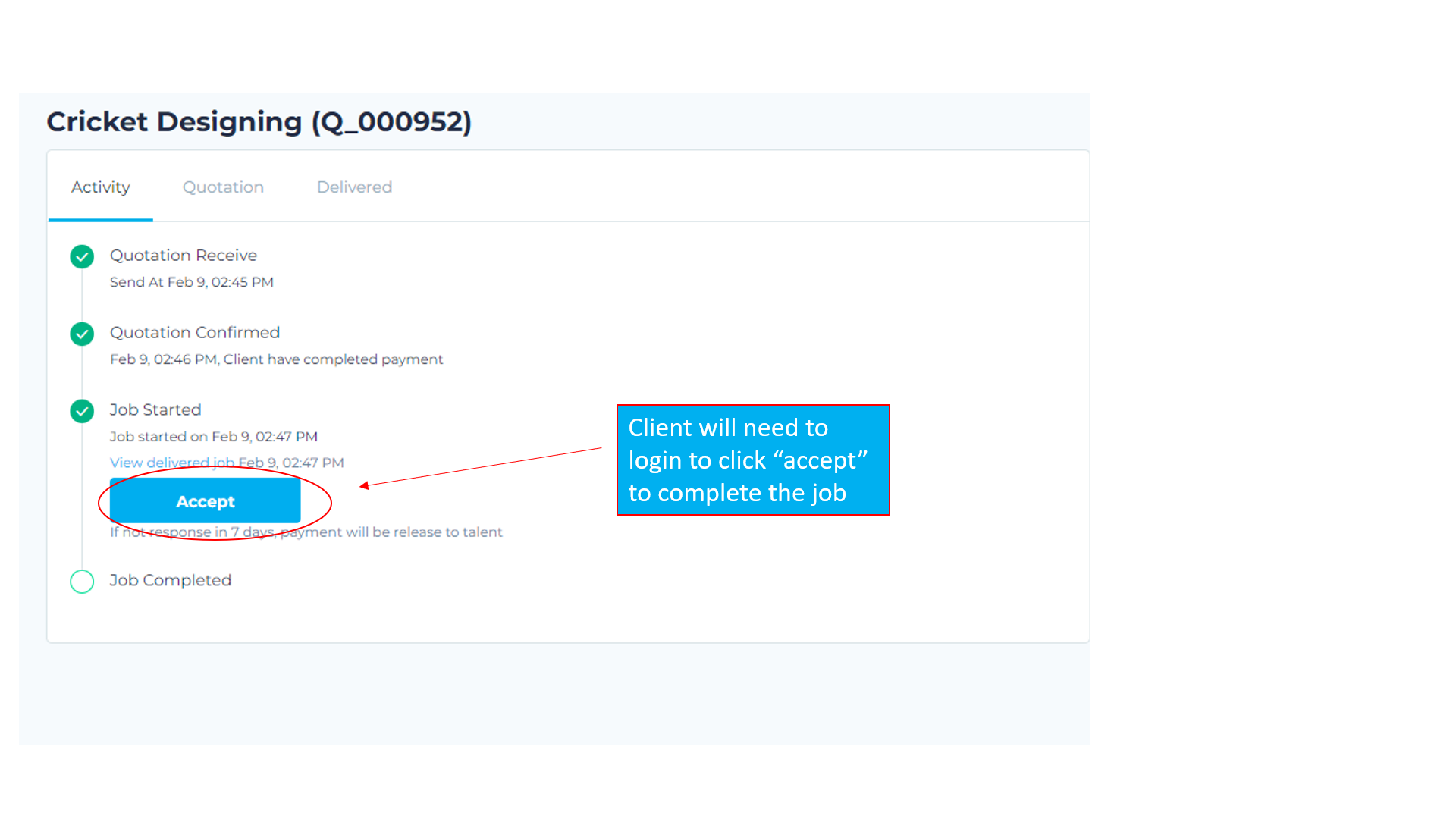
Step 2: Designer completed work (To finalize)
Notes:
- Client without Rtist client account must create a Rtist client account here
- Email Must be registered using email that quotation was sent to.
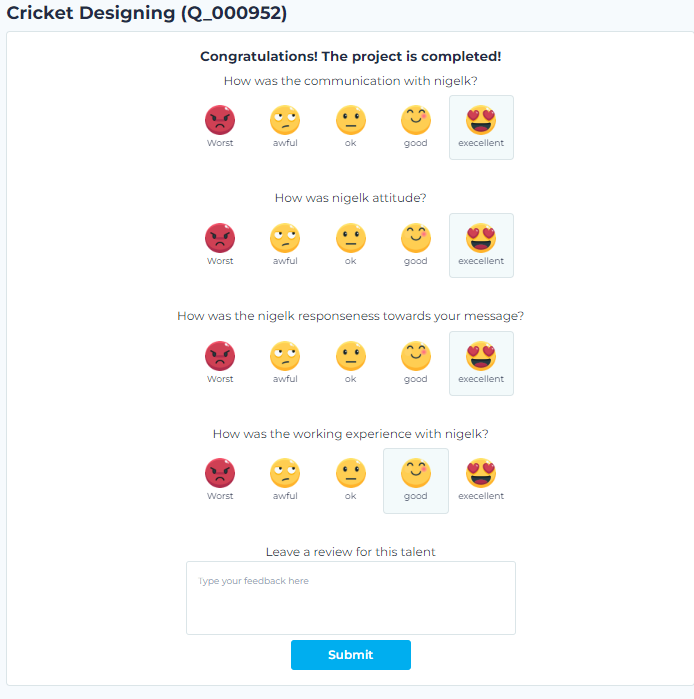
Step 3: Review talent
Fun fact:
1) Reviewing talent will help them get more jobs in the future.