[Talent] How to browse & apply Job?
Browse jobs on Rtist through the Search Jobs page, explore freelance or full-time opportunities, view details, and apply directly in just a few clicks to start your creative career.

Nigel Koay
Last Update hace 9 meses
Jobs are posted on Rtist everyday, there's freelance, contract, full-time and Internship job opportunities everyday!
You may browse and apply job with a few simple steps below:
Browse Job:
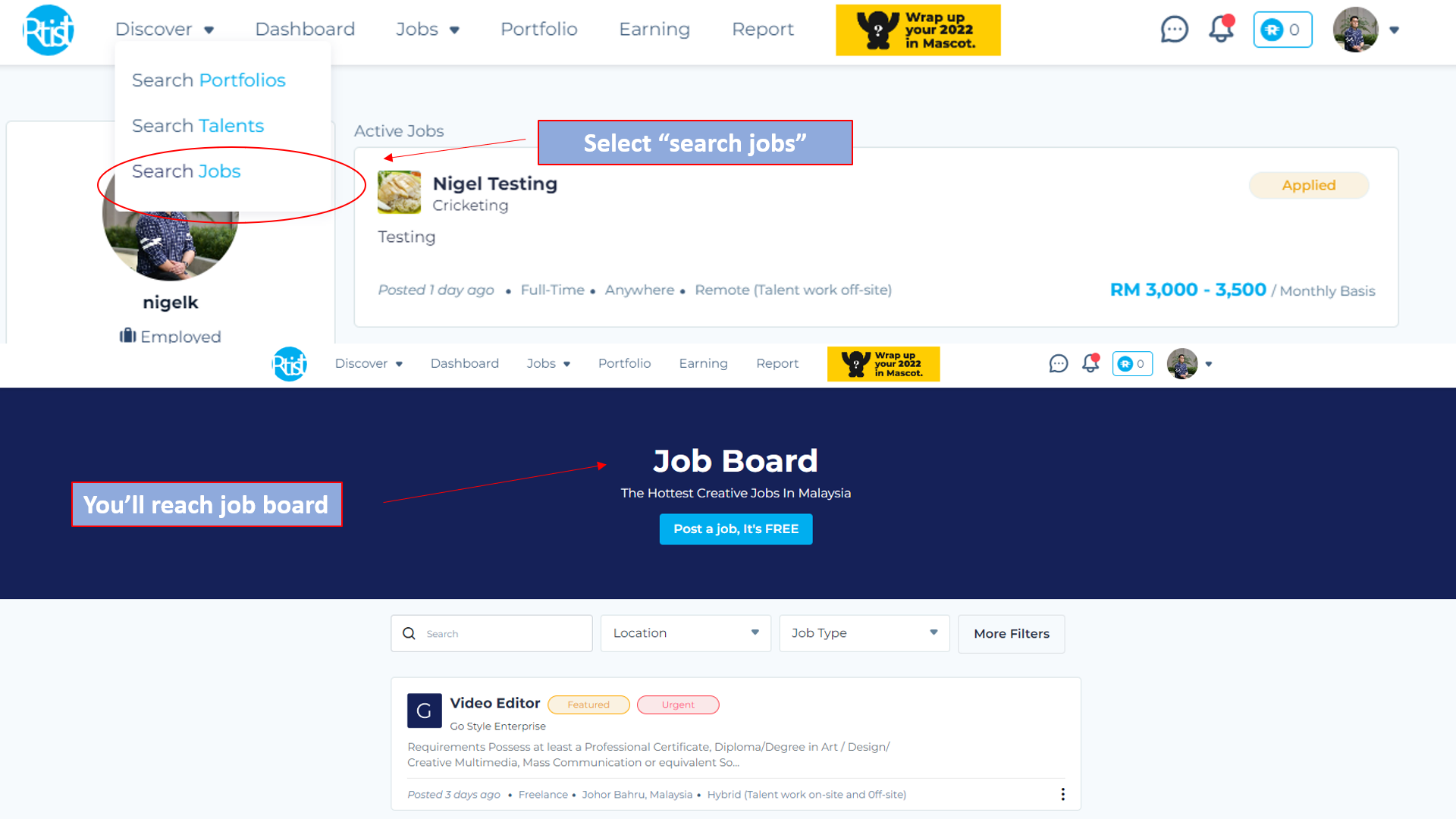
To browse jobs, click the "Search Jobs" button from "Discover". This will take you to the job board, where you can browse through the available positions.
Steps to apply jobs:
You can apply job that fit your requirement from different paths within the website:
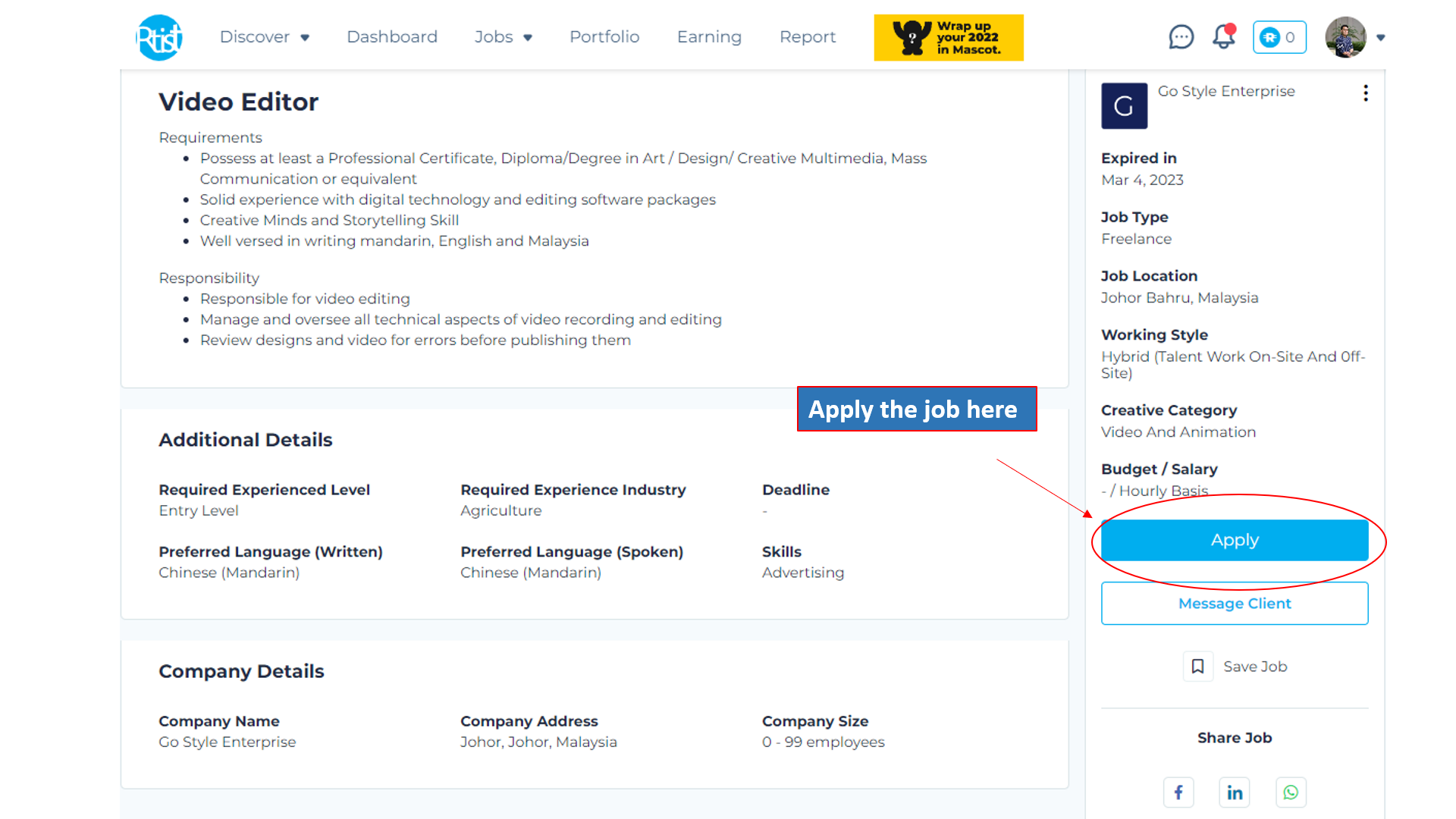
1) Apply now:
Go to the particular job, click apply.
2) Apply later
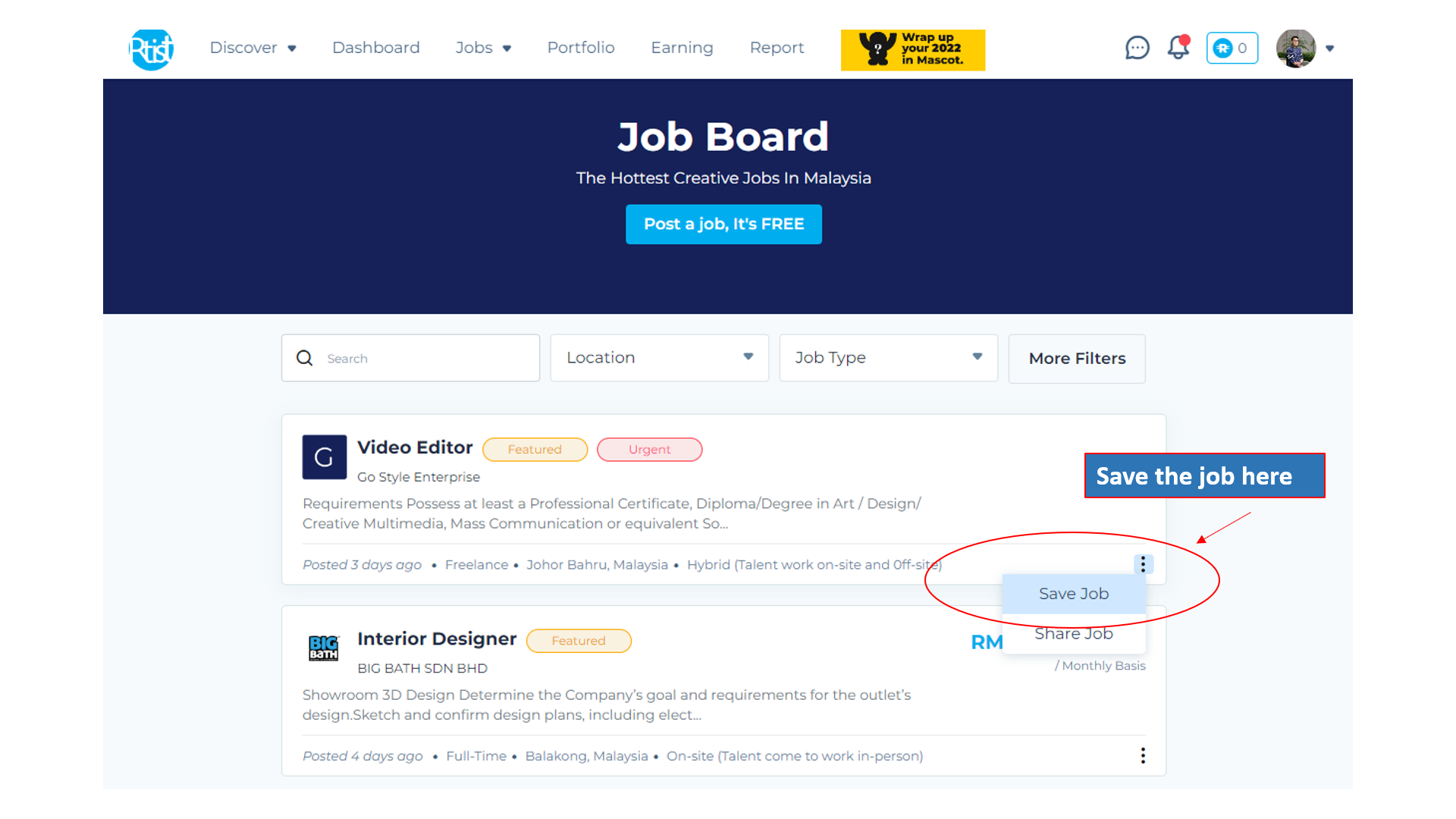
Go to the job board > Save for later